Validators Manager
After generating your validator keys, you need to set up a wallet that will authorize validator operations (registrations, funding, consolidations, withdrawals) on behalf of your Vault. This wallet is assigned the Validators Manager role.
The Operator Service can generate this wallet, or you can use an existing one.
If your Validators Manager wallet is managed externally, see Relayer (API Mode) →.

Step 1: Set Up Operator Wallet
You need a wallet to authorize validator operations and pay gas fees. You can create a new one via the Operator Service or use an existing wallet.
Option A — Create a new wallet
./operator create-wallet
Example Output
Enter the vault address: 0xF82f6E46d0d0a9536b9CA4bc480372EeaFcd9E6c
Enter the mnemonic for generating the wallet: fish monster write banner tired laptop slender ...
Done. The wallet and password saved to ~/.stakewise/0xF82f6E46d0d0a9536b9CA4bc480372EeaFcd9E6c/wallet directory. The wallet address is: 0x59d58...B48C4
You may reuse the same mnemonic as your validator keys or generate a separate one for added security.
Option B — Use an existing wallet
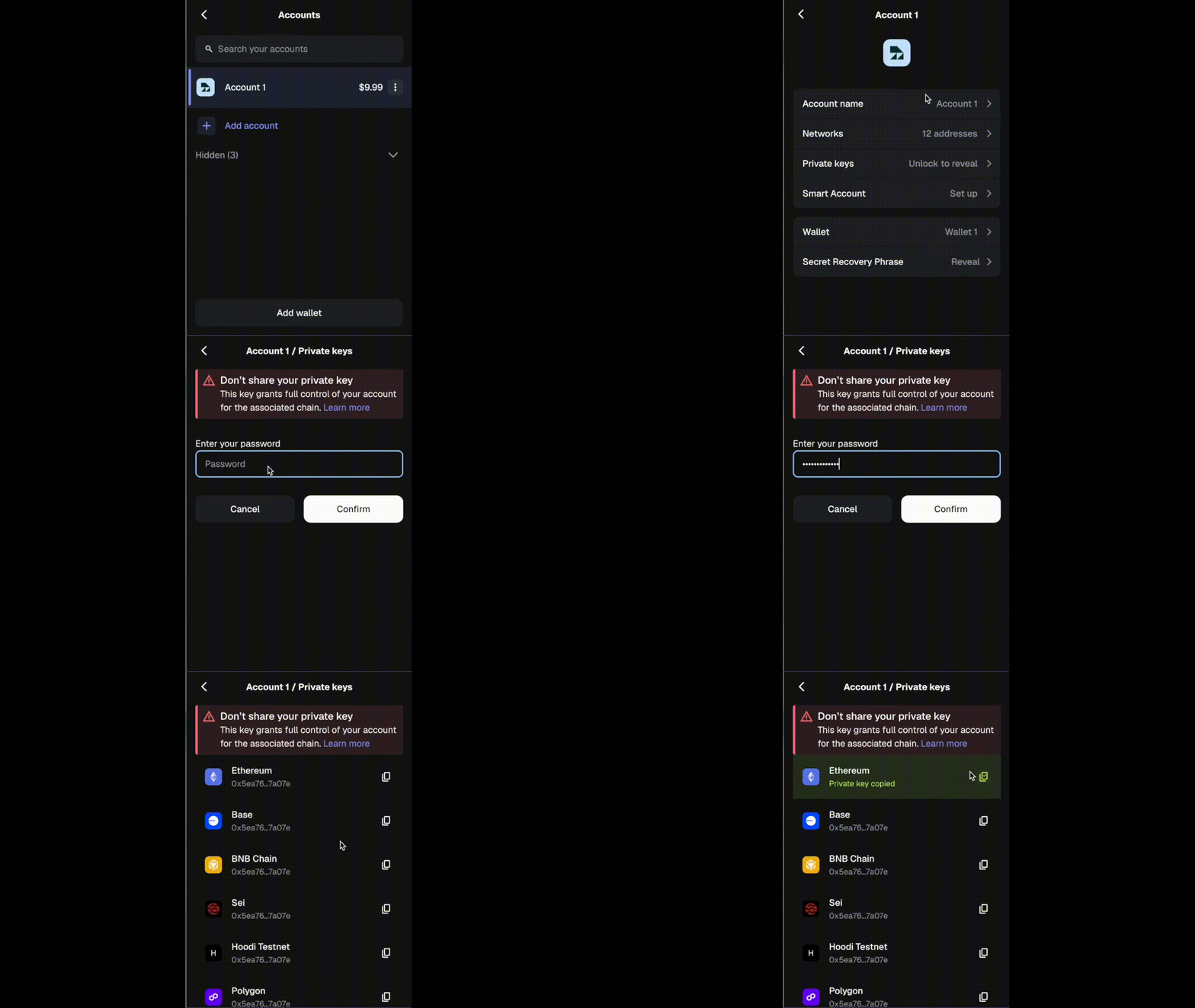
Export a private key from an existing wallet, then set it as an environment variable:
export WALLET_PRIVATE_KEY="0xyour_private_key_here"
If both WALLET_PRIVATE_KEY and wallet keystore files are configured, the private key takes precedence over the wallet files.
 Wallet Balance Warning
Fund your wallet with ETH (or xDAI on Gnosis) to cover gas:
- Each validator registration costs ~0.01 ETH at a 30 Gwei gas price
- Check current gas prices at Etherscan Gas Tracker ↗
- Monitor balance regularly to prevent registration failures
Step 2: Assign Validators Manager
You must assign the Validators Manager role to the wallet address from the previous step. This setup can be completed via the StakeWise UI and must be performed by the Vault Admin.
- Connect using a Vault Admin wallet and navigate to the Operate page ↗
- Select the Vault for which you want to change the Validators Manager role
- In the upper right corner, click on Settings and open the Roles tab (only visible to the Vault Admin or current Validators Manager)
- Enter the wallet address in the Validators manager field
- Click Save to create a transaction that you will need to sign with your wallet